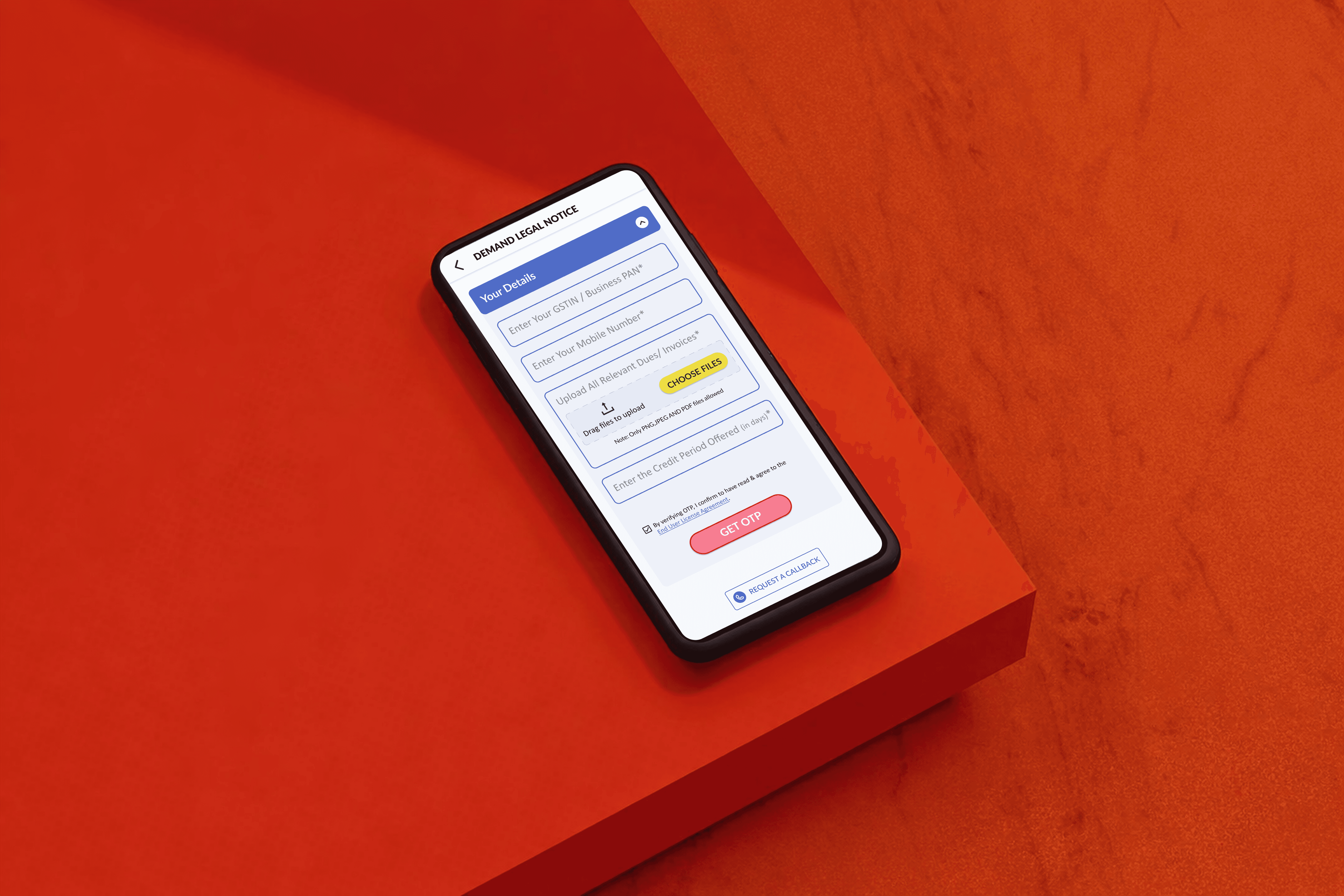
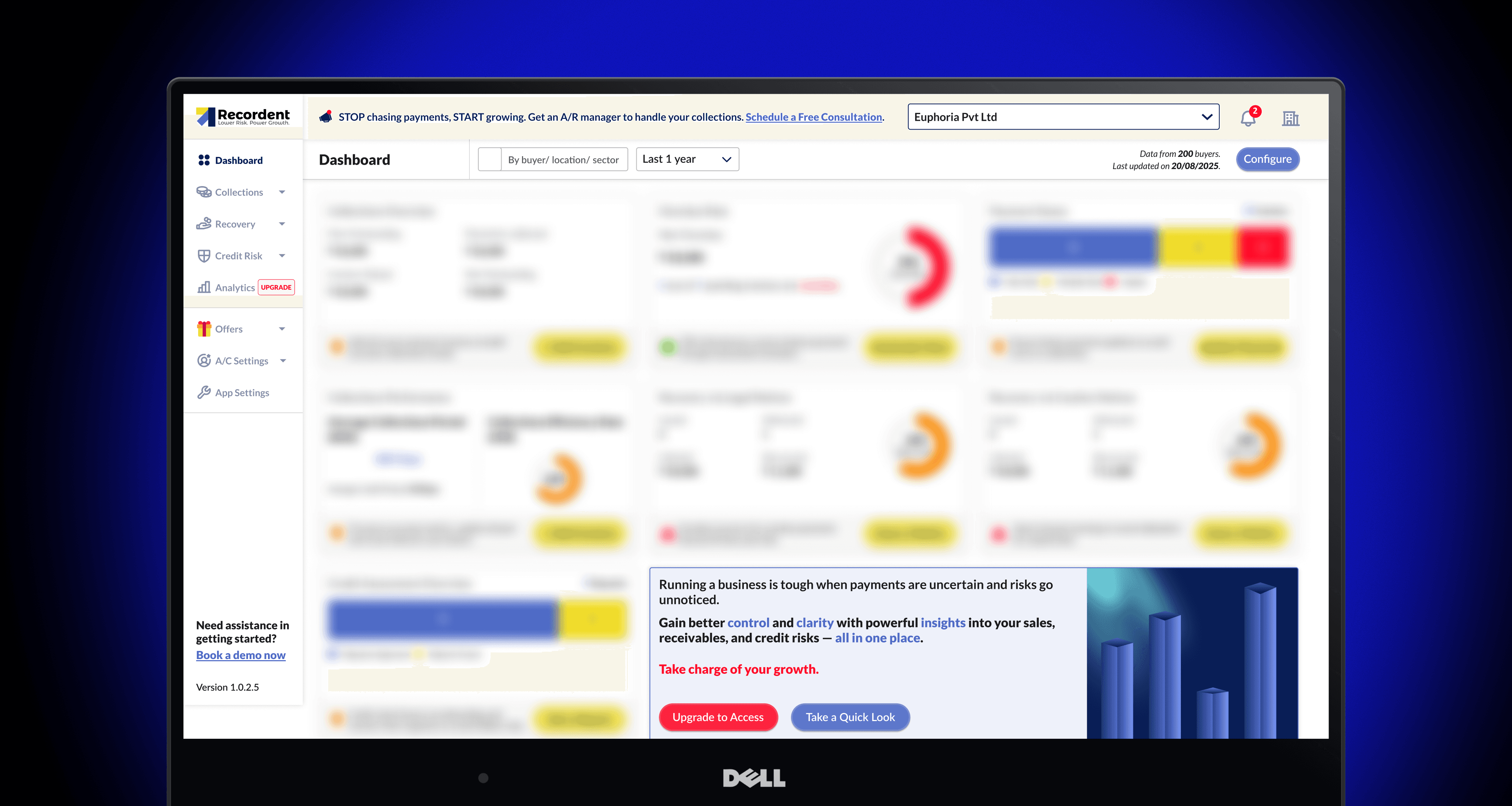
Signup Journey

Making it more faster & intuitive for new users.

00

Problem

The initial sign-up and onboarding journey at Recordent was identified as a key contributor to early-stage user drop-off and low engagement rates. New users faced challenges such as lengthy forms, ambiguous instructions, and limited contextual guidance, making it difficult for them to complete registration and find immediate value. Users often abandoned the sign-up process due to confusing steps or perceived lack of relevance, resulting in high bounce rates. previous onboarding lacked personalization and failed to communicate the platform's benefits succinctly, causing many users to feel disengaged or uncertain about next steps.

Solution

This project reimagines the experience as a clear, structured entry point that introduces the product, highlights the most important actions, and guides users through a logical path instead of leaving them to figure it out alone. Through improved layout, hierarchy, and interaction patterns, the design helps users quickly understand what they can do here and supports smoother progression into deeper parts of the product. New dedicated subscription landing pages have added more value to the process.

Overview

Recordent is a fintech platform focused on improving transparency and trust in buyer-seller relationships by addressing the problem of delayed payments. The company offers comprehensive credit and collections management solutions for businesses, especially manufacturers, traders, and service providers with tools to manage credit risk, collections, recovery, and analytics.

The initial sign-up and onboarding journey at Recordent was identified as a key contributor to early-stage user drop-off and low engagement rates. New users faced challenges such as lengthy forms, ambiguous instructions, and limited contextual guidance, making it difficult for them to complete registration and find immediate value.

Users often abandoned the sign-up process due to confusing steps or perceived lack of relevance, resulting in high bounce rates. Existing onboarding lacked personalization and failed to communicate the platform's benefits succinctly, causing many users to feel disengaged or uncertain about next steps.

Drop-offs: 67% Upgrades: ~1%


Key issues in previous design
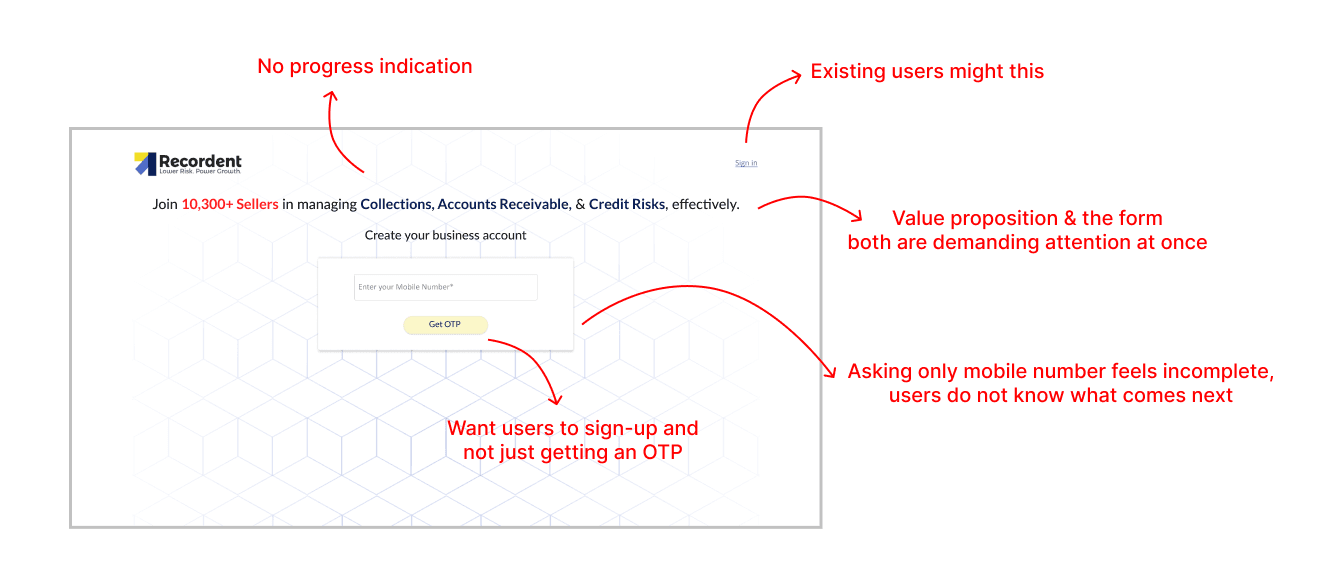
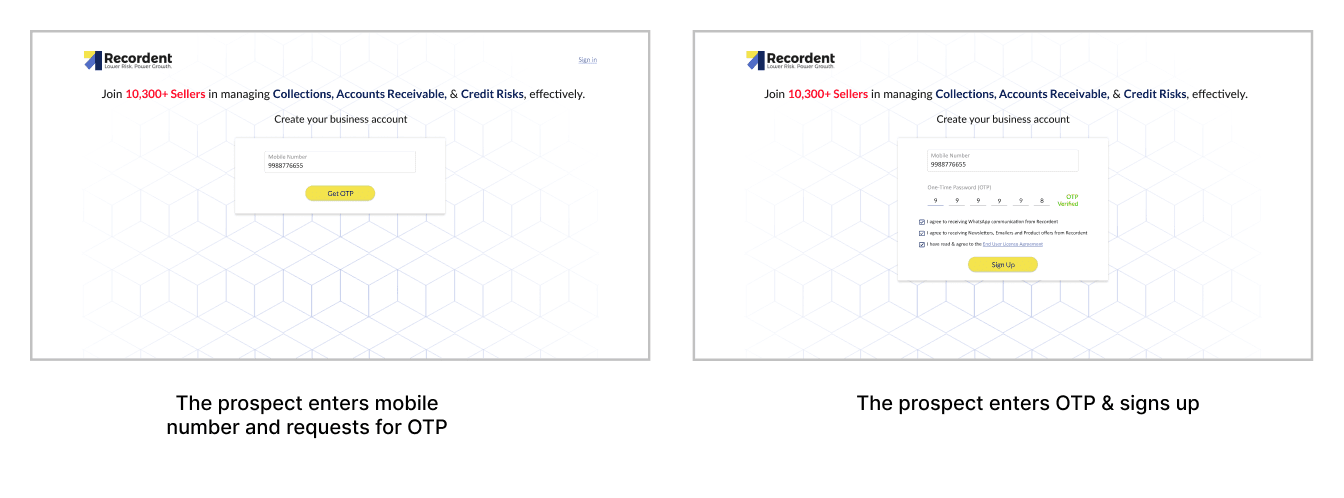
Sign up ScreenGet OTP & Sign up screen

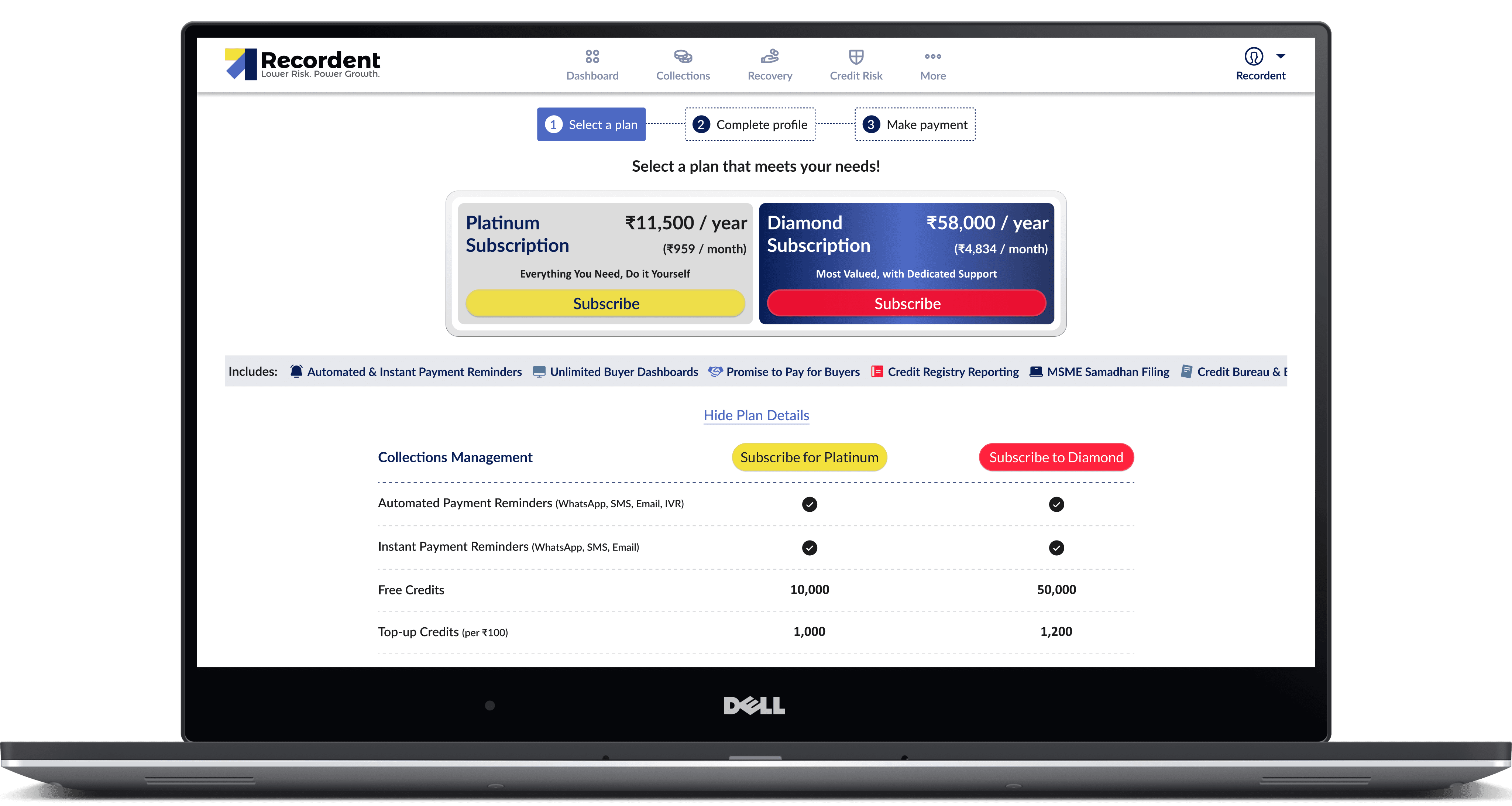
Then the prospects will be directed to pricing page.
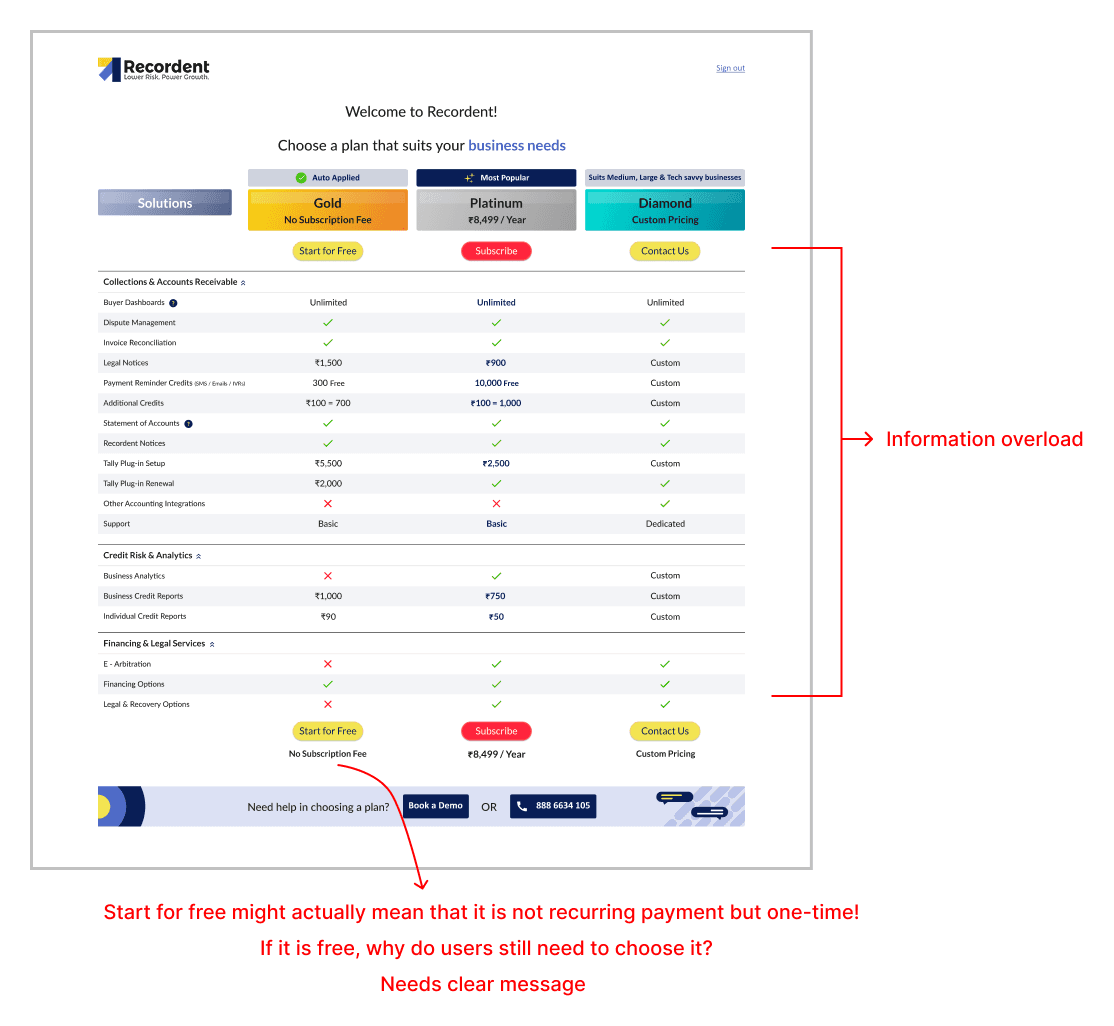
Pricing page

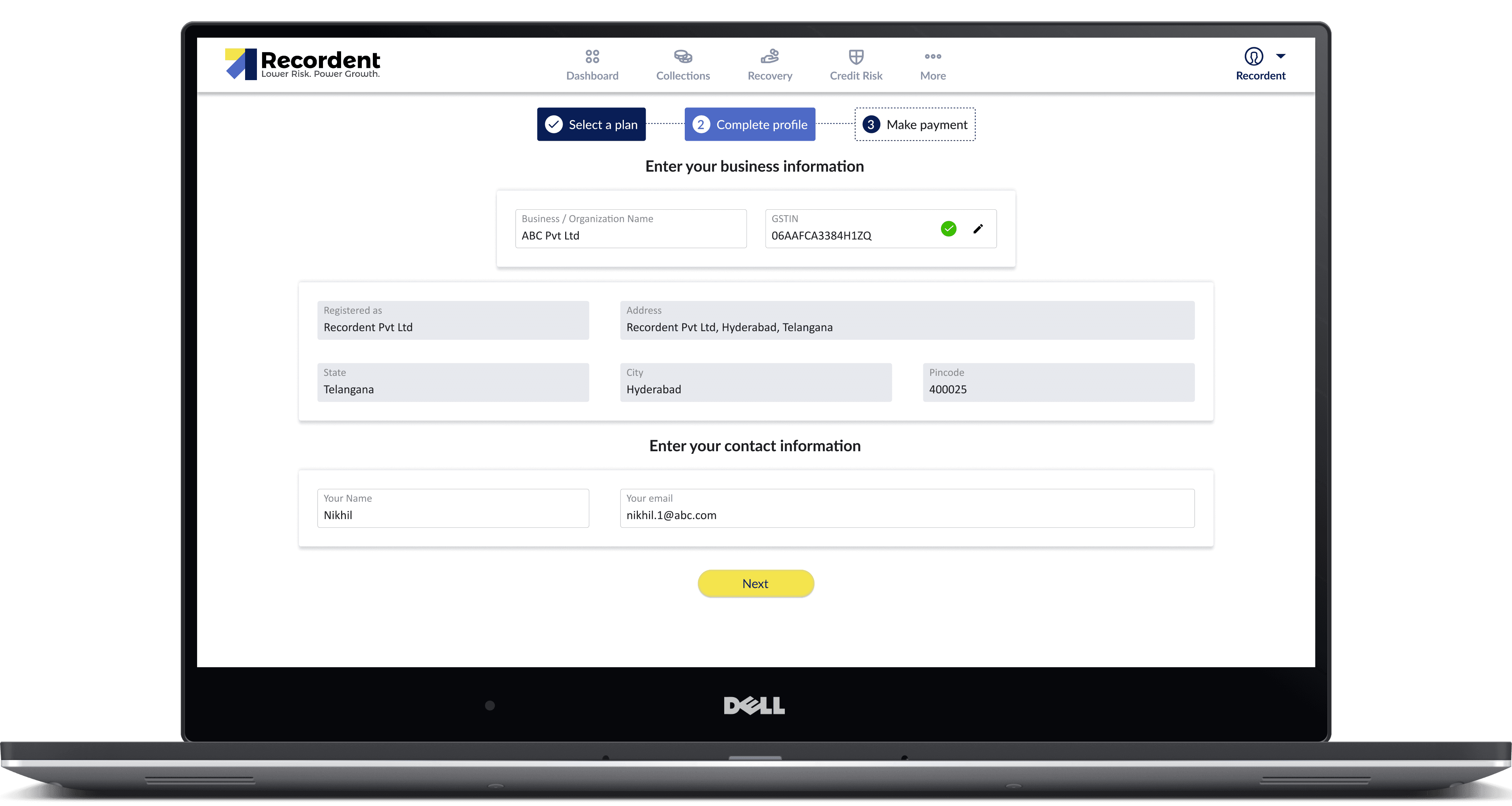
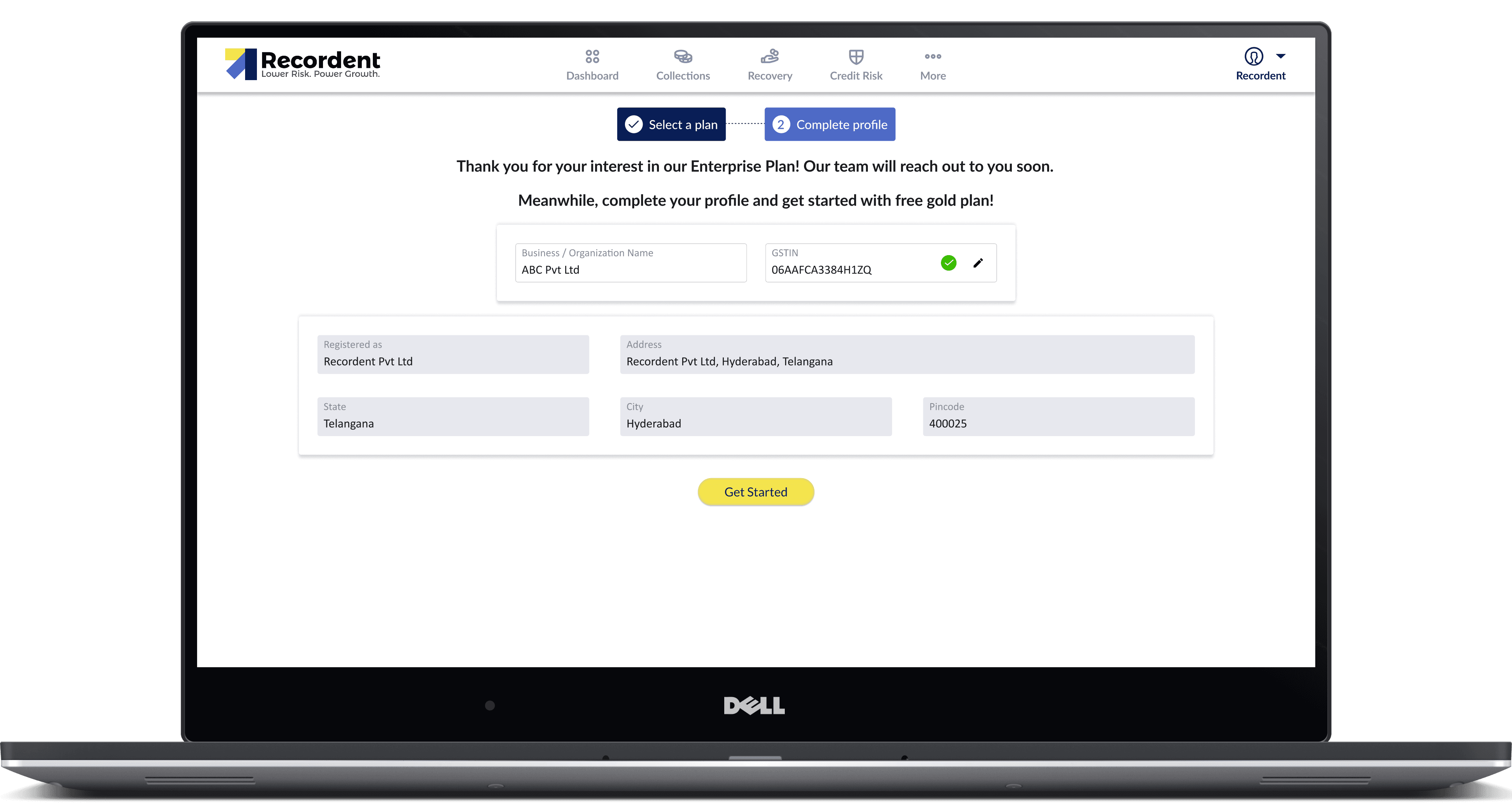
After the prospects choose a plan, they will be asked to enter the GSTIN/ business PAN and verify. Then, the business details will be auto-populated and the prospect has to enter their name and email to proceed.
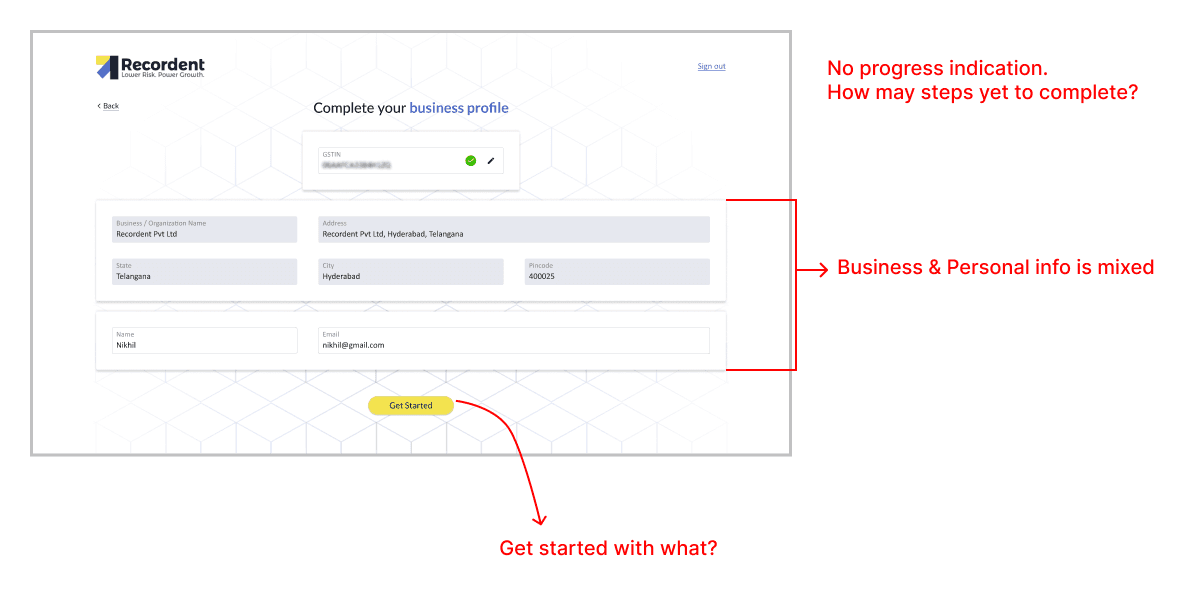
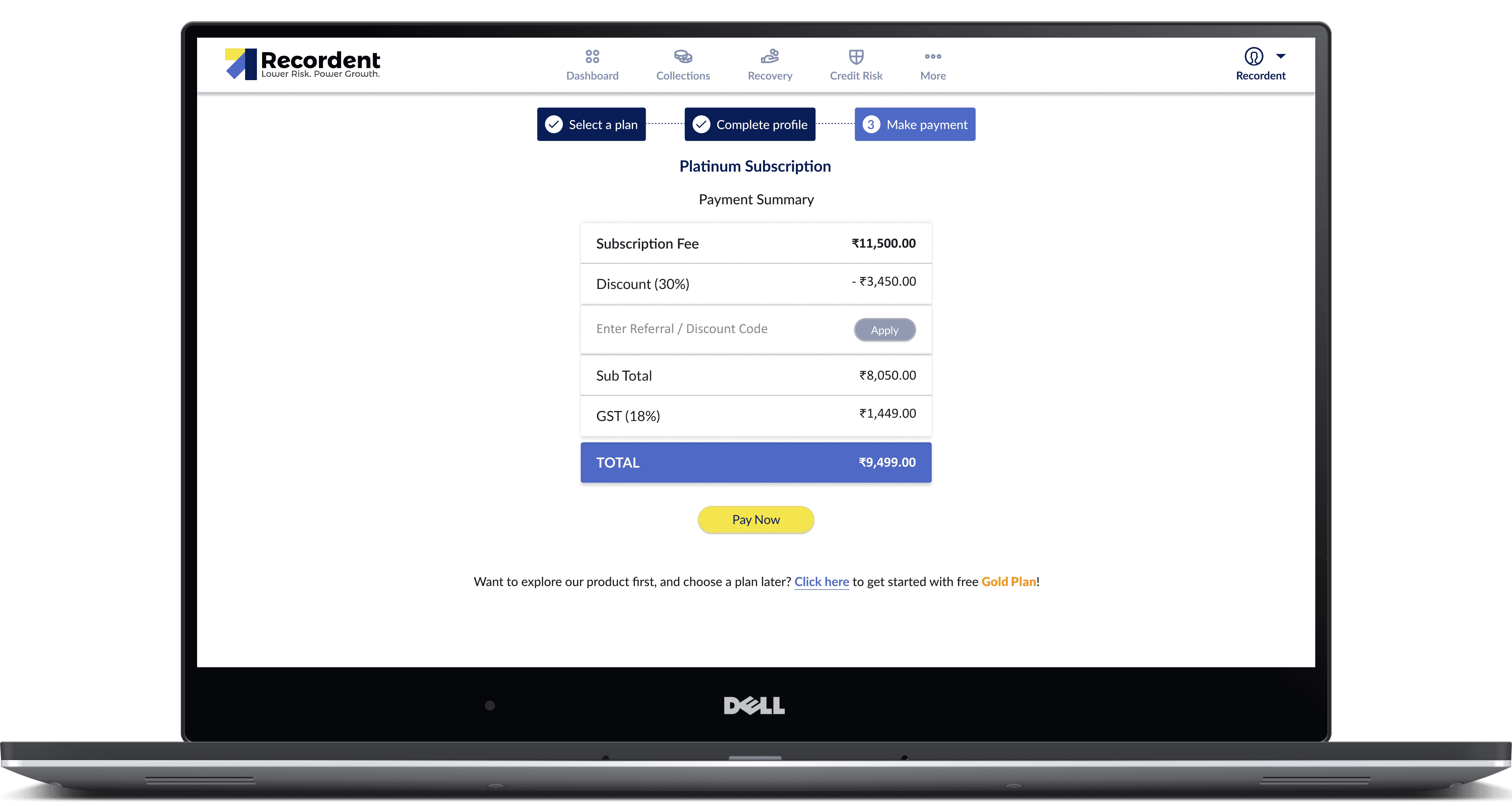
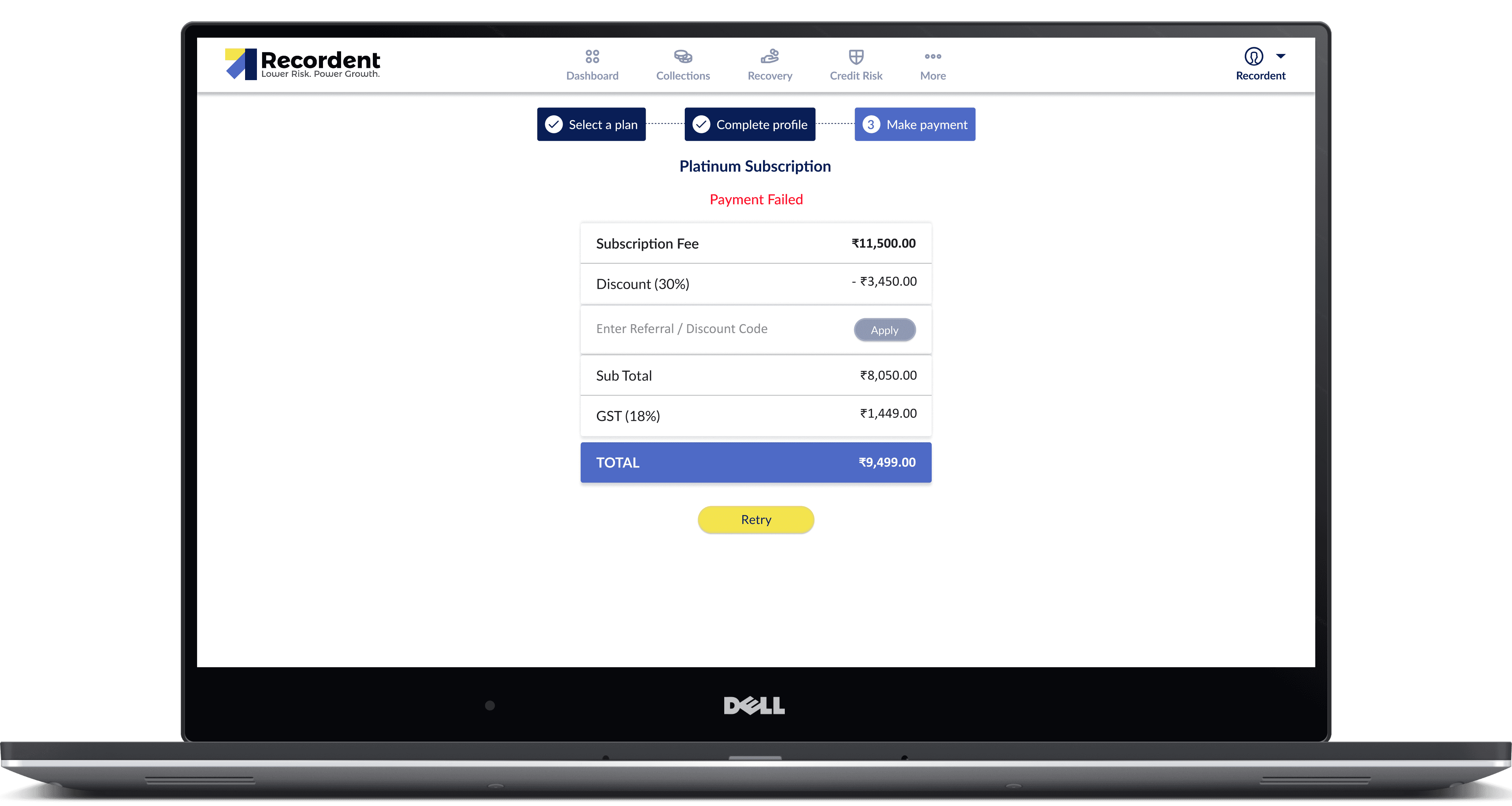
When clicked on "Get Started", the payment screen will be shown:
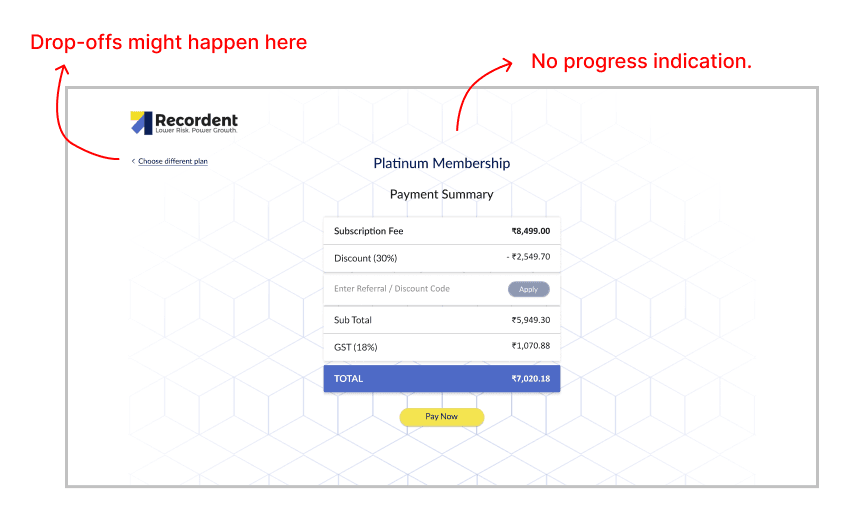
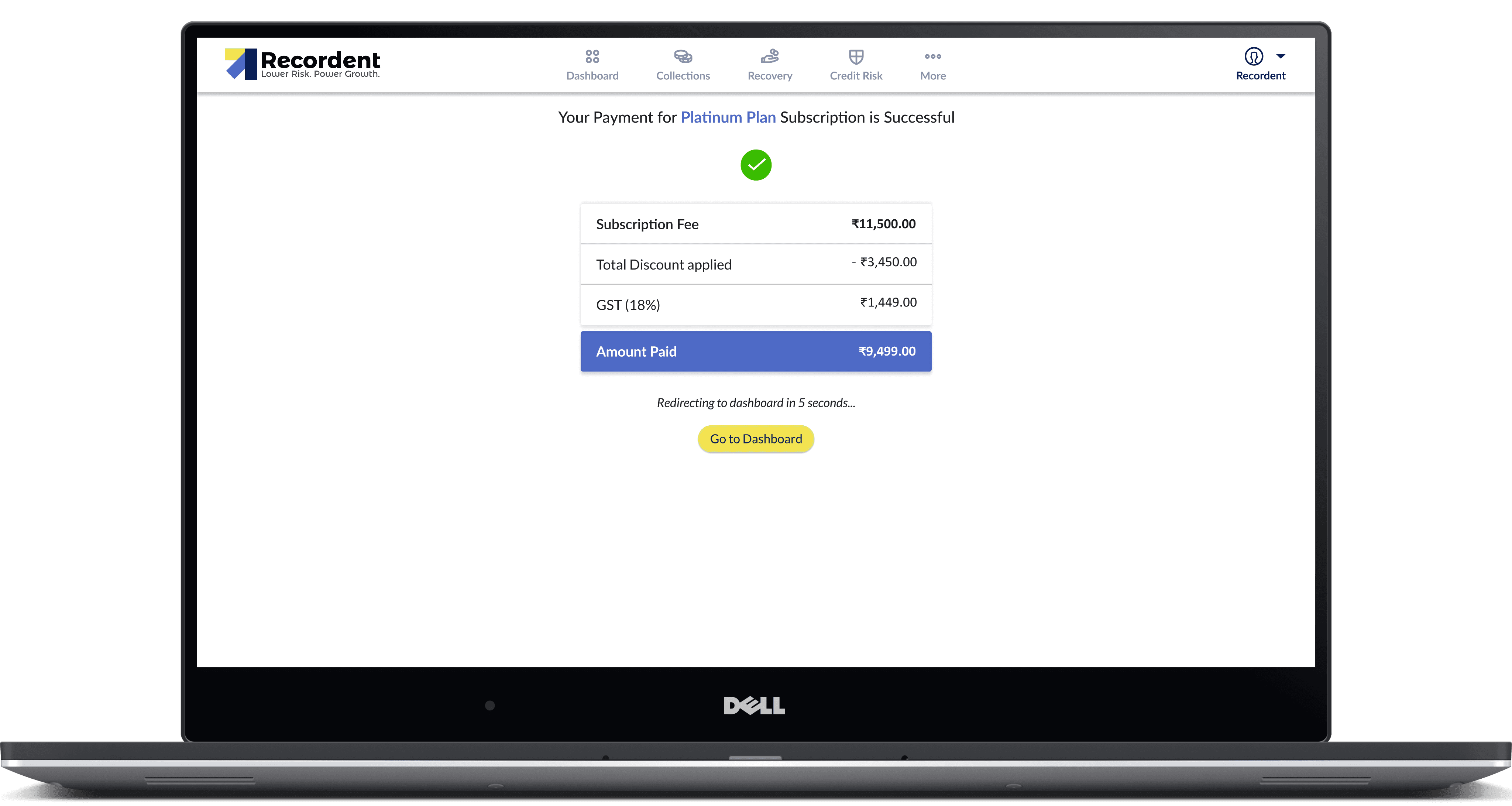
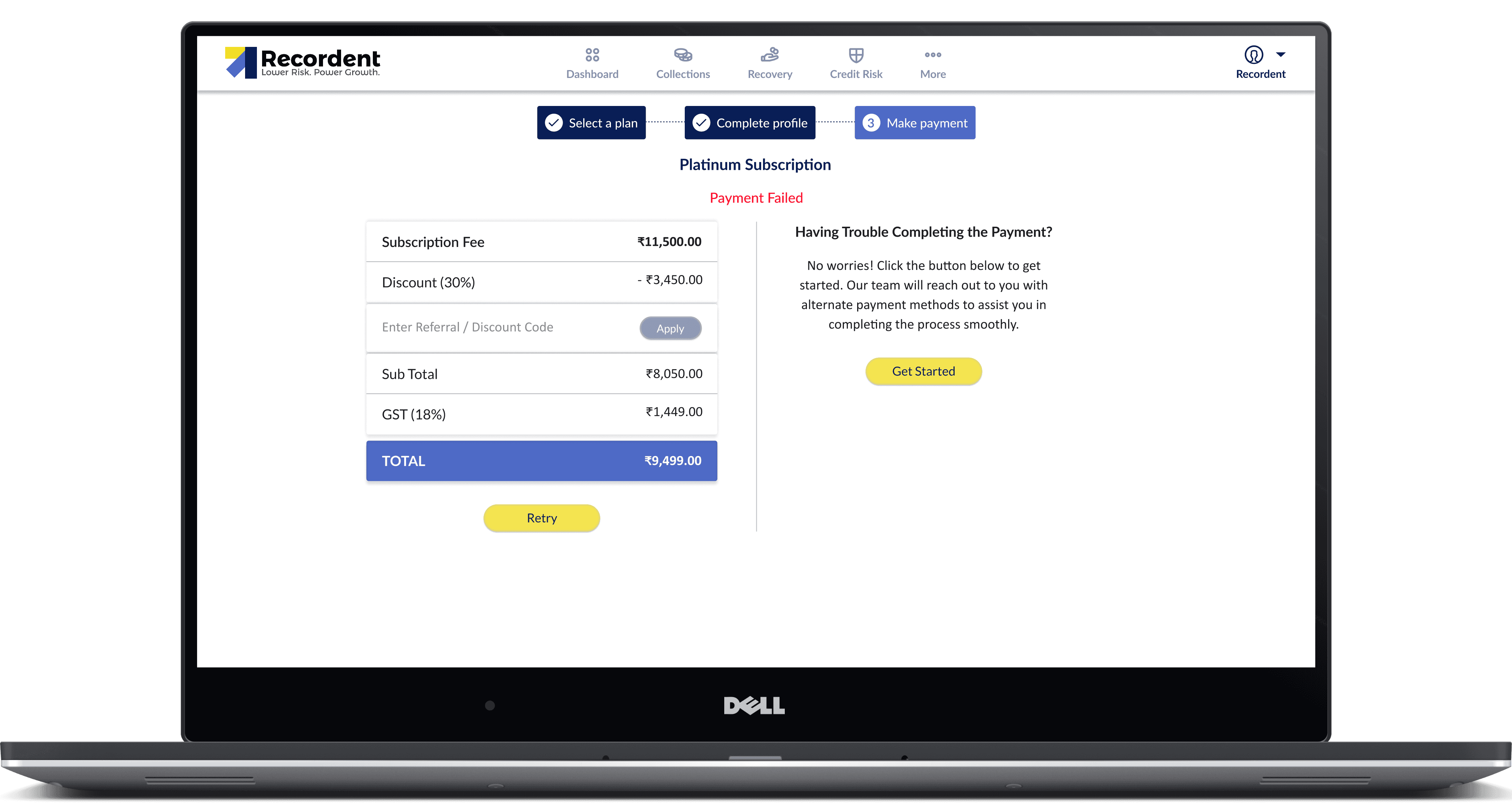
Once the payment is successful, the prospect is taken to the dashboard, otherwise the payment failure screen will be shown:
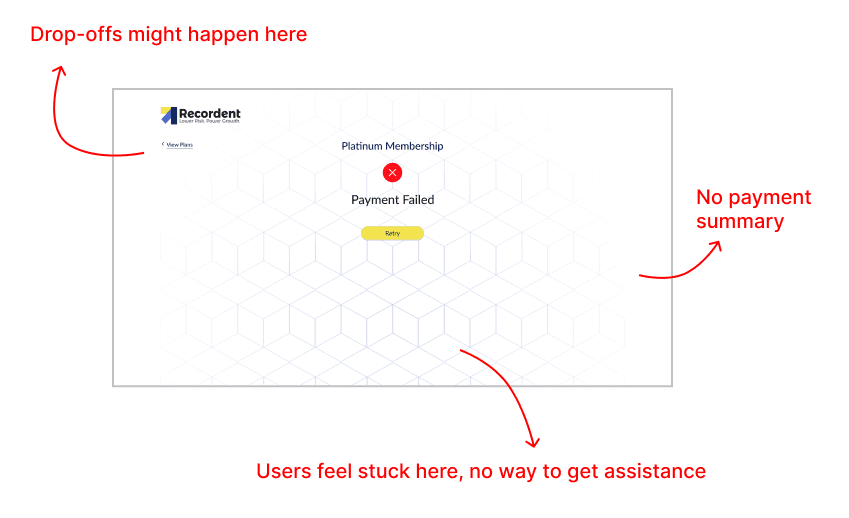

Key enhancements during the process

  • Platinum and Diamond are now the primary, recommended plans with stronger visual emphasis, clearer value messaging, and prominent CTAs.

  • An Enterprise plan was introduced for larger customers needing custom limits, or dedicated support.

  • Gold (free) is still available but visually de‑emphasized and moved out of the primary focus so users explore paid tiers first.

  • Messaging frames Gold as a basic starter option, suggested only for users who actively look for a free tier or are not yet ready to upgrade.

  • Separate GOLD, PLATINUM, and DIAMOND pages were created to go deeper into outcomes, use cases, and social proof for each tier, beyond what fits on the main pricing grid.

  • These landing pages enable targeted campaigns, with focused messaging that maps specific customer segments to the most suitable plan.

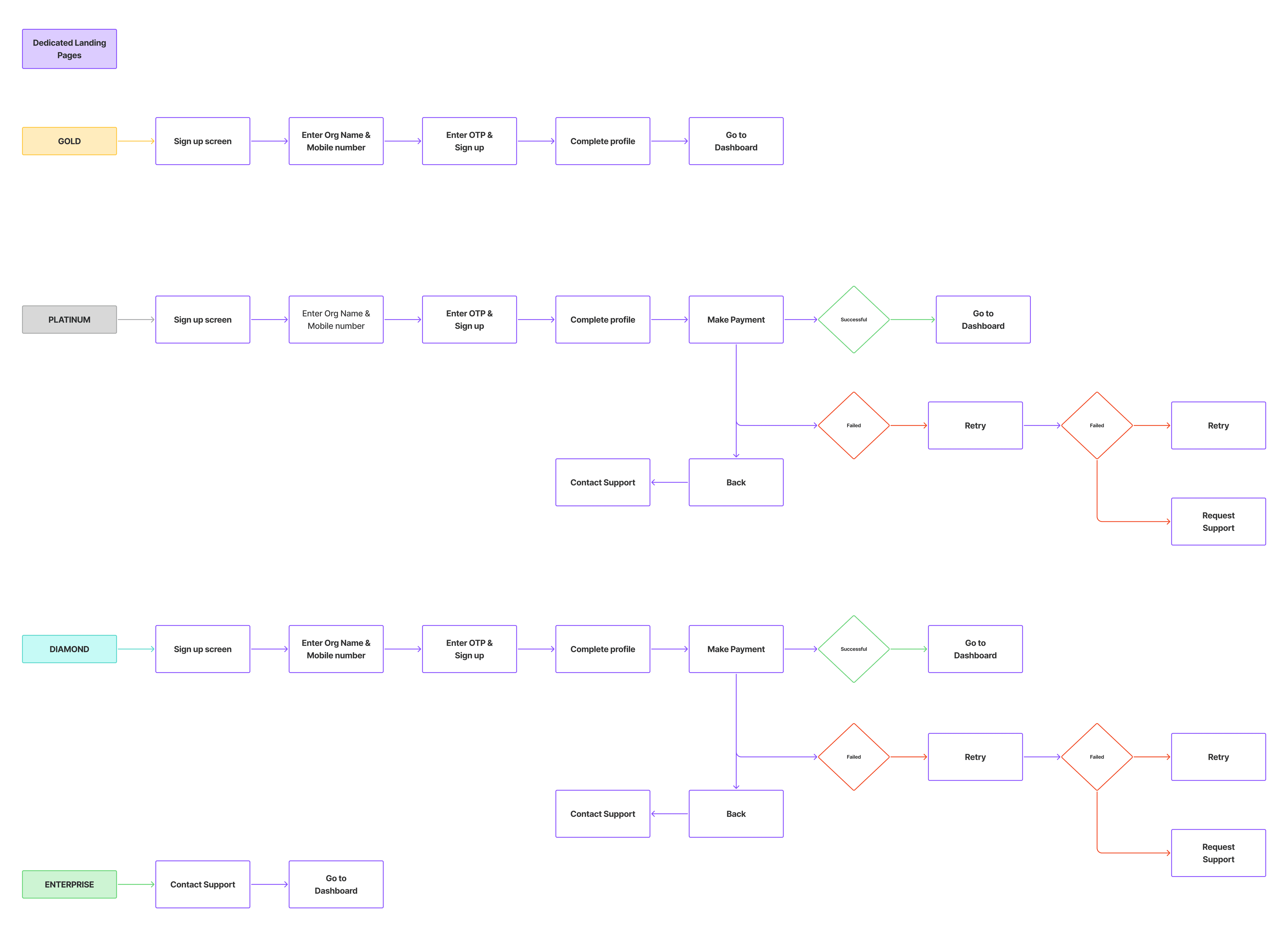
User Journey
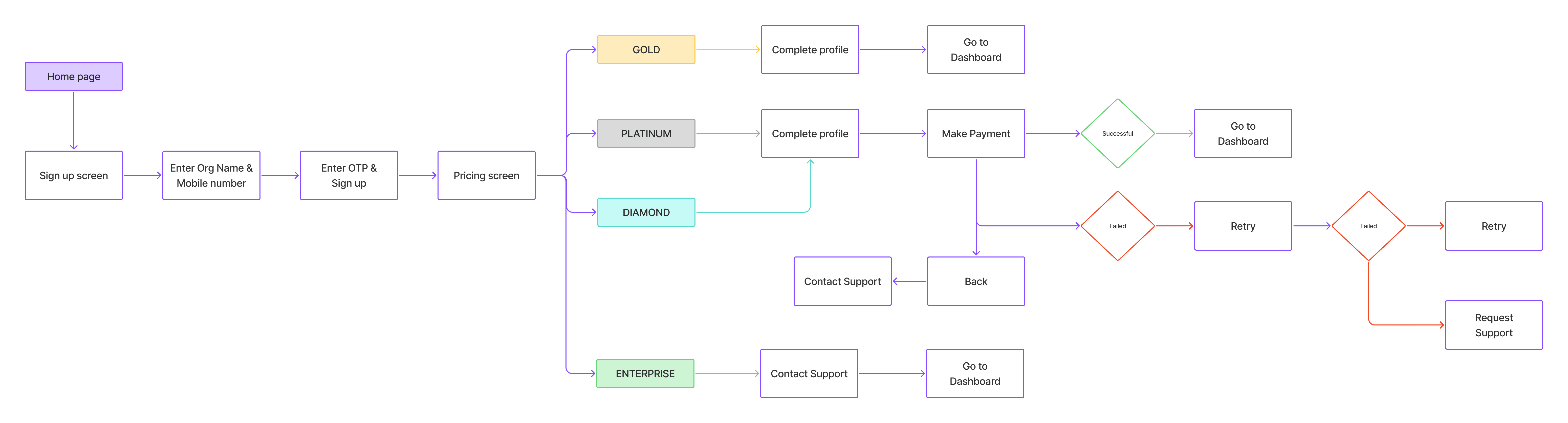
Increase in Sign-ups: 22% Upgrades: 3-4%


Below are the redesigned screens

Year

2024

Year

2024

Year

2024

Year

2024

Timeframe

1.5 months

Timeframe

1.5 months

Timeframe

1.5 months

Timeframe

1.5 months

Tools

Figma

Tools

Figma

Tools

Figma

Tools

Figma

Category

UI/UX

Category

UI/UX

Category

UI/UX

Category

UI/UX

01

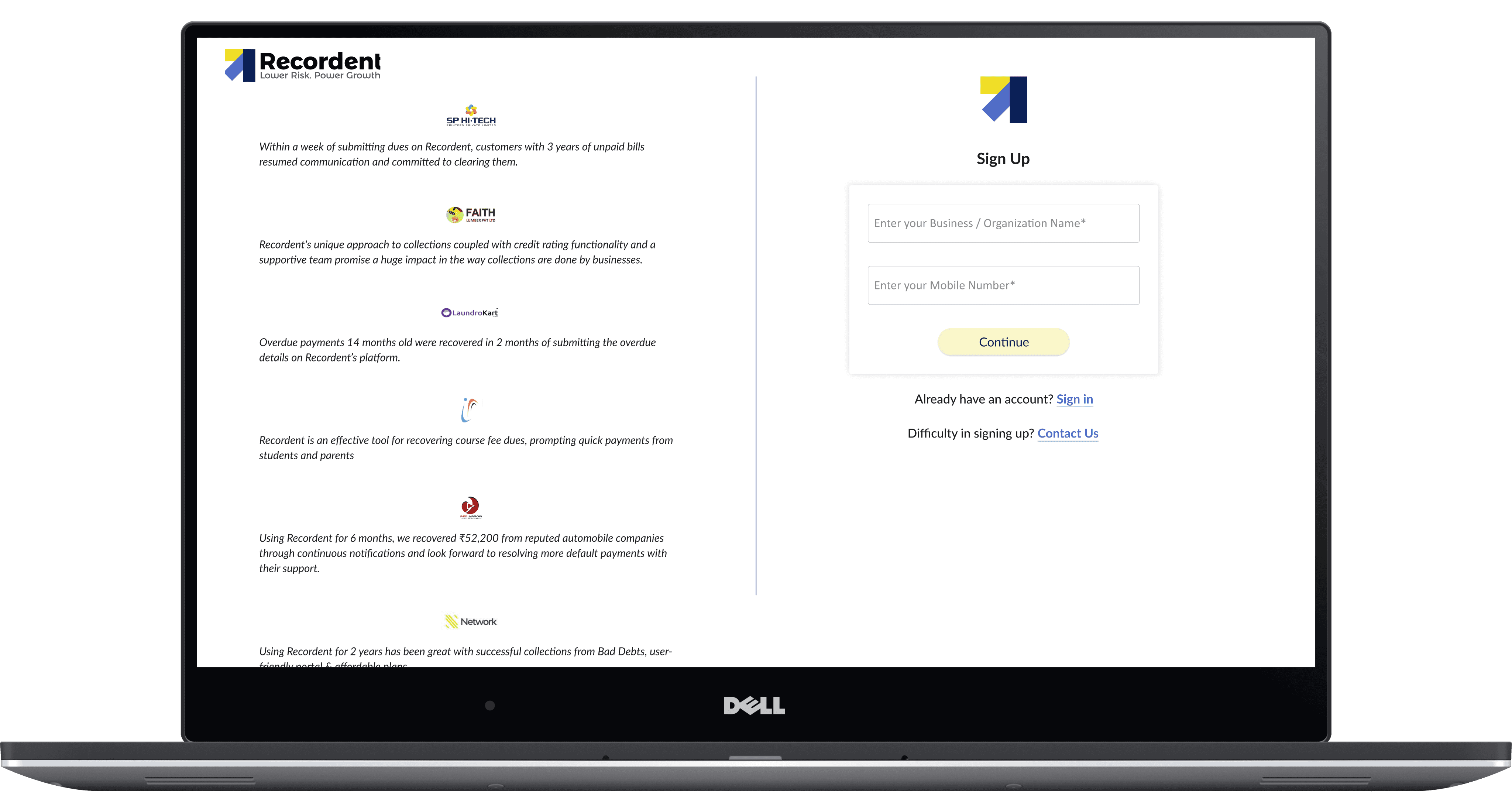
Sign-up screen
Sign-up screen
Sign-up screen
Sign-up screen

02

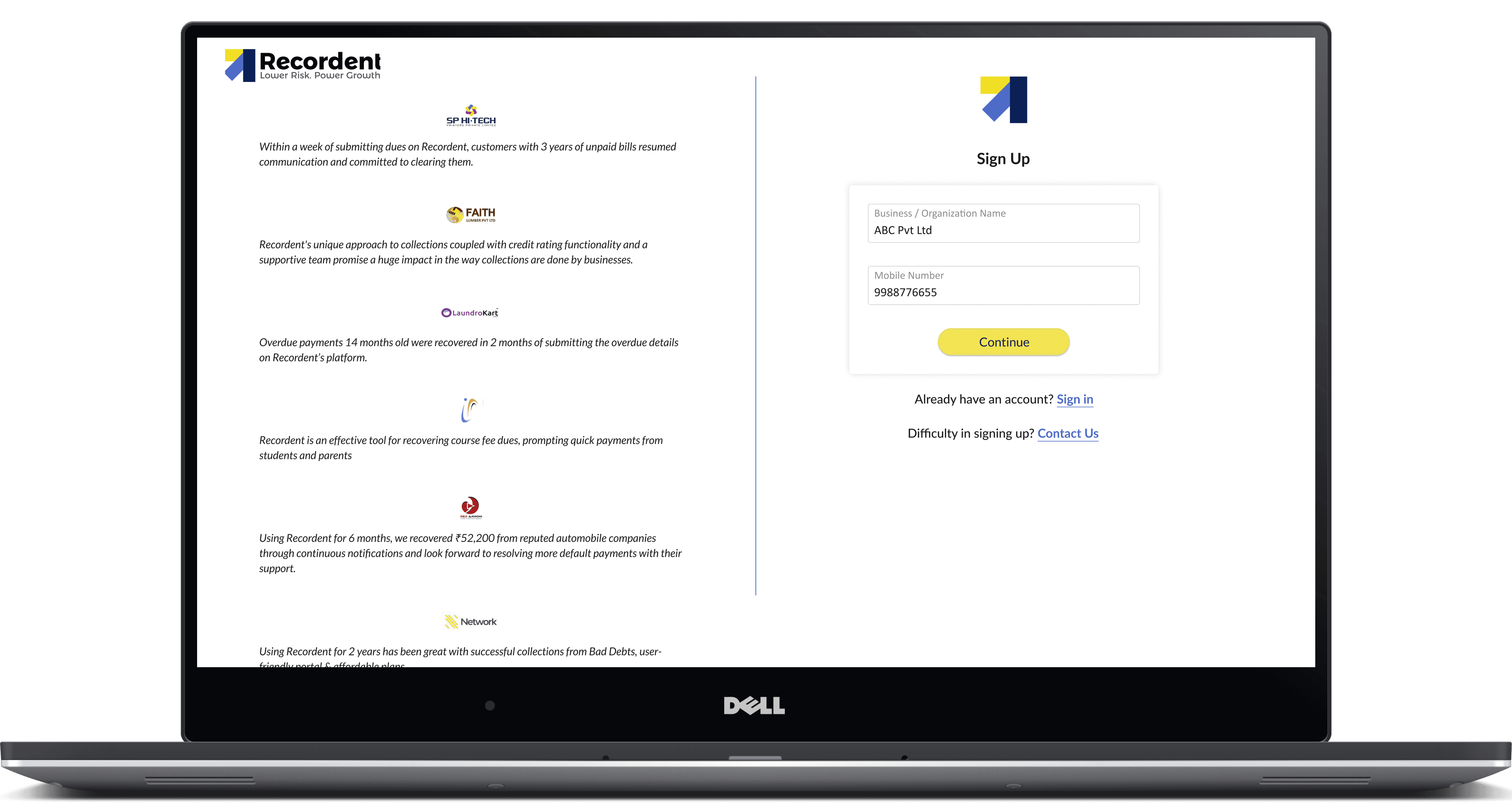
Prospect enters their business/ organization name and mobile number and click 'Continue'

03

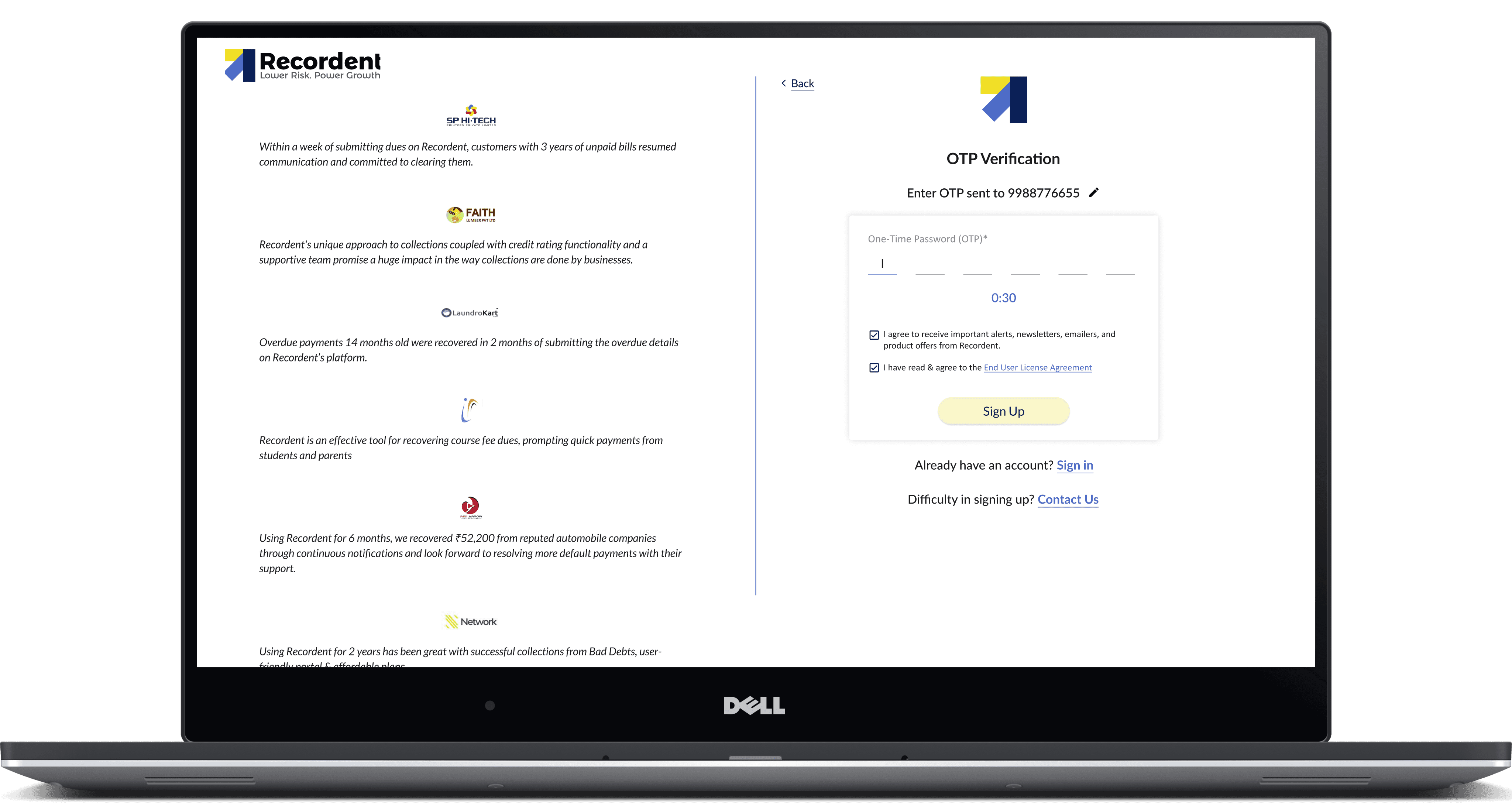
Enter OTP screen
Enter OTP screen
Enter OTP screen
Enter OTP screen

04

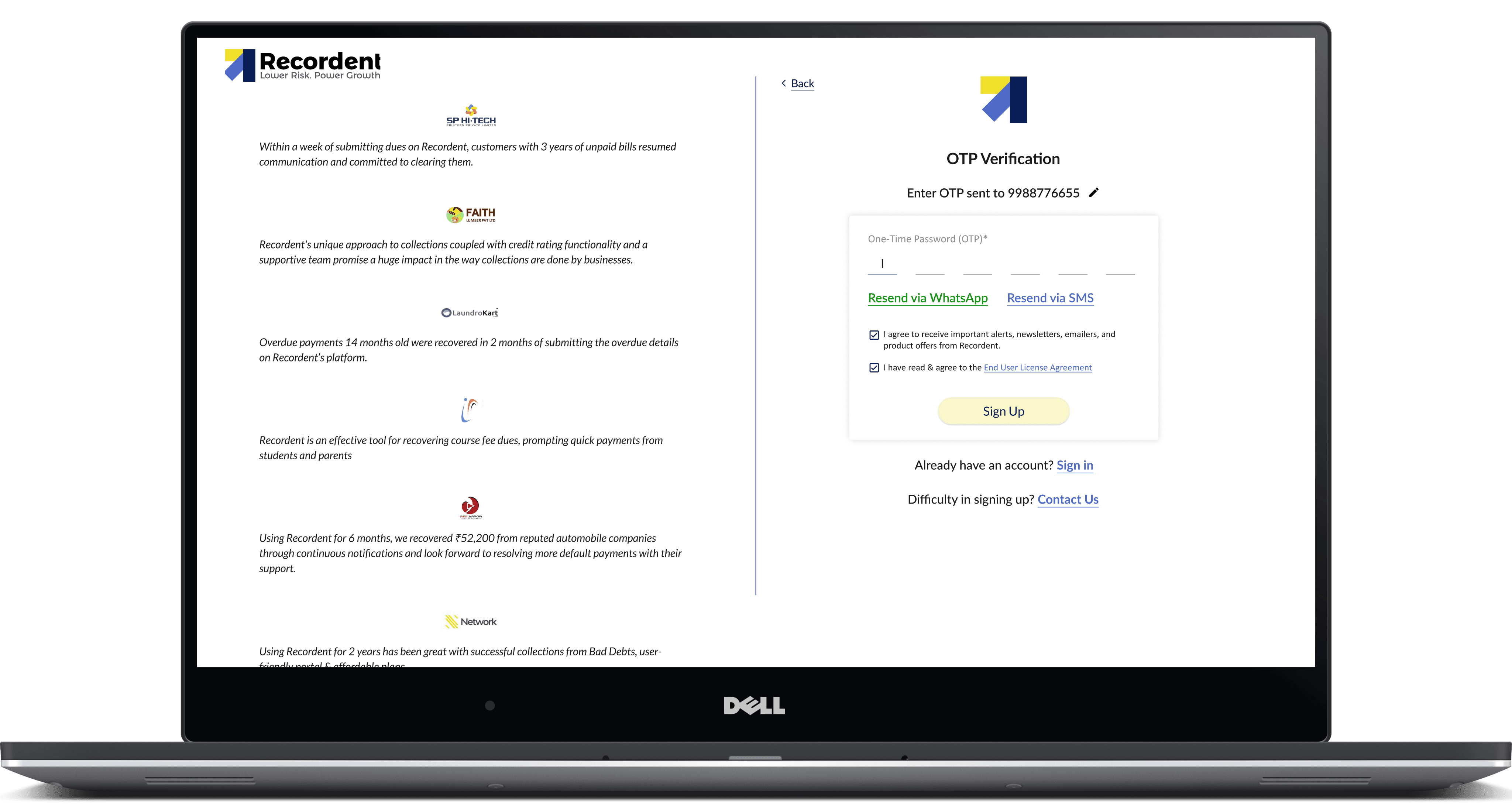
When the timer hits 0:00, prospect can request for OTP again via SMS or a WhatsApp text

05

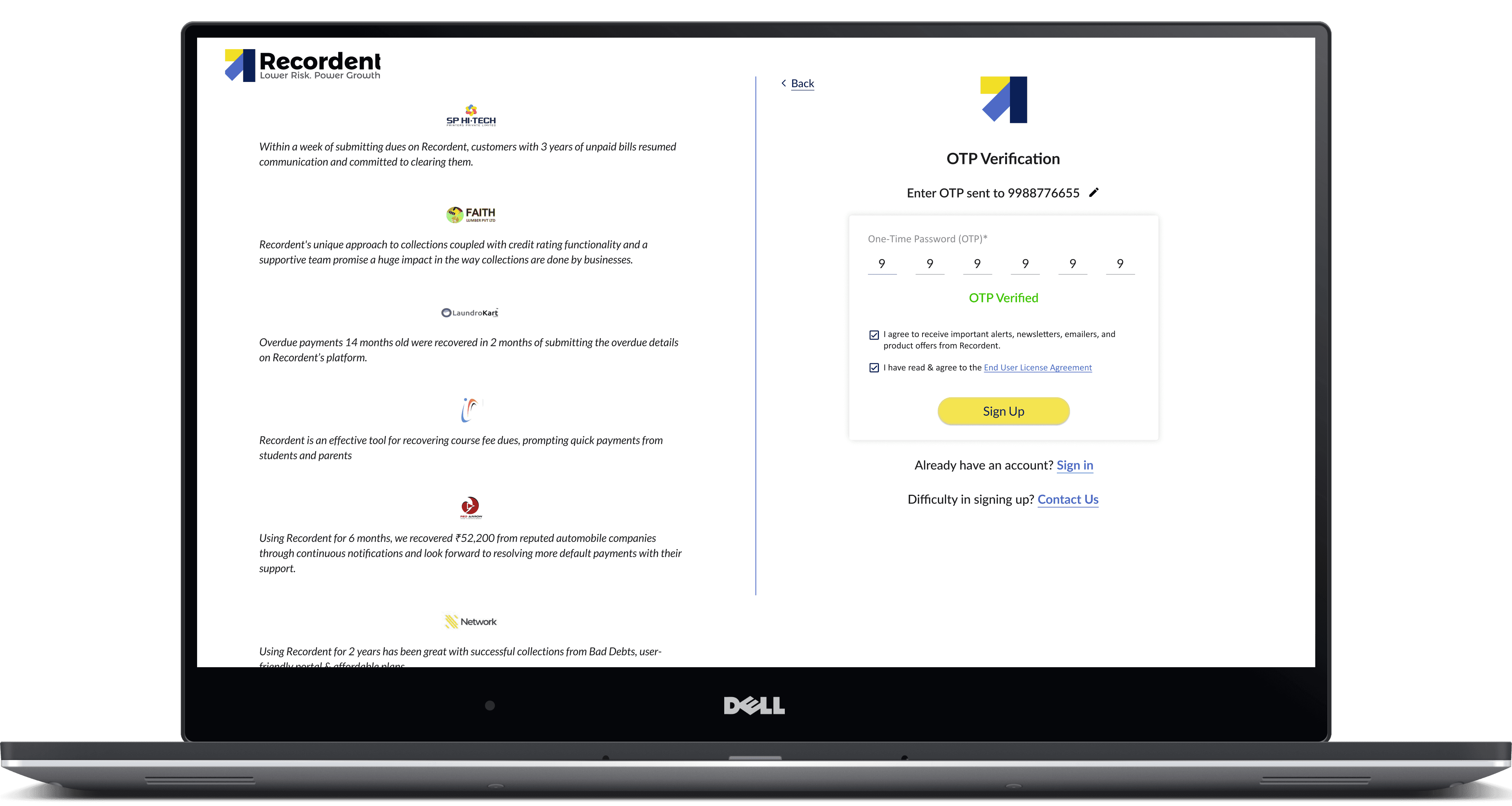
Prospect enters OTP and once it is verified, Sign-up CTA is enabled

06

Assuming that the prospect has clicked on "Sign-up" from the home page, they are asked to selct a plan. The plan is auto selected if they arrive from a dedicated landing page.

07

Business/ Org name is auto populated, prospect has to enter the GSTIN/business PAN and verify. Company details will be auto fetched and prospect's details has to be entered

08

Payment summary screen

09

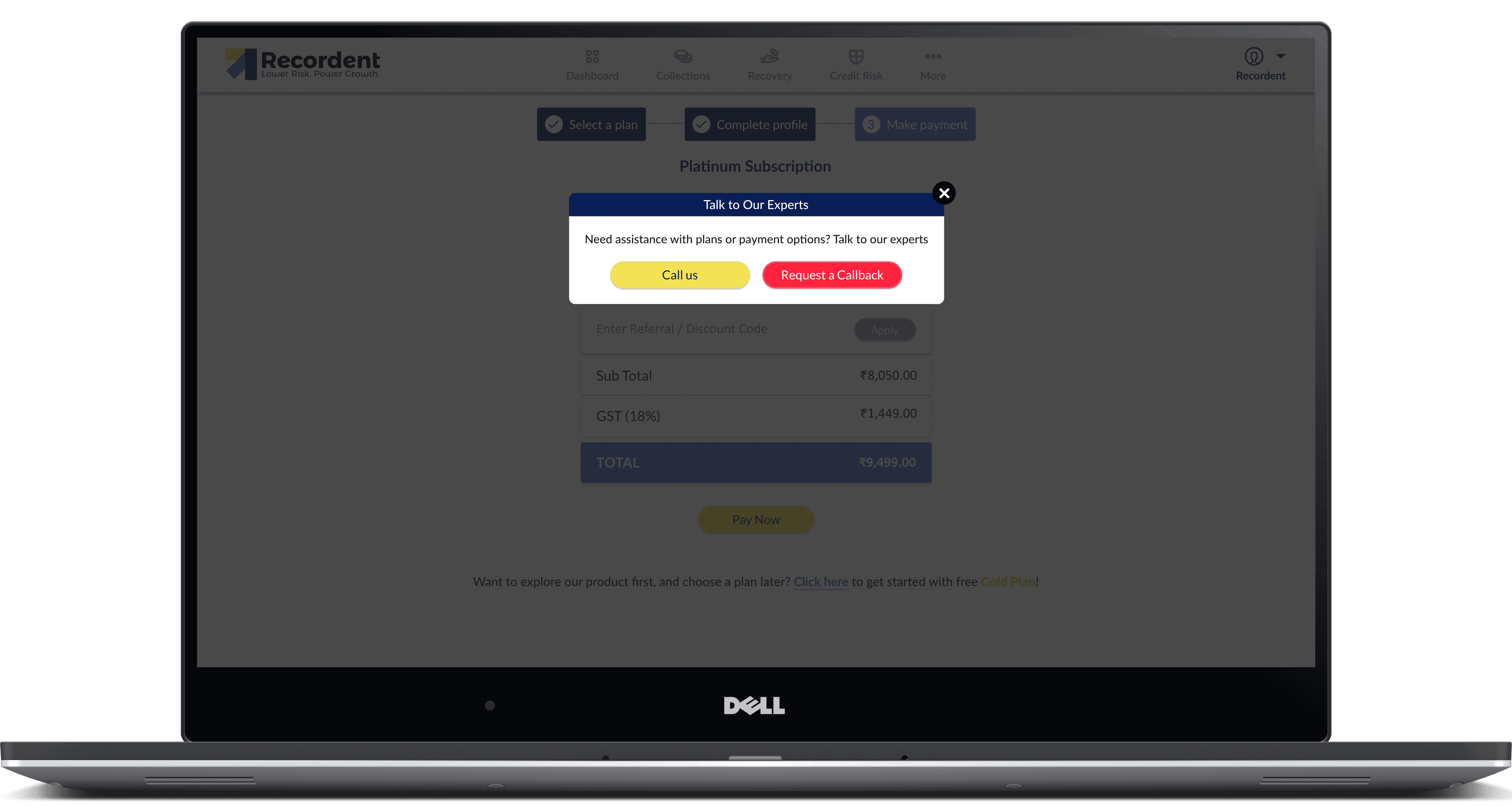
Pop-up if the prospect tries to go to previous stages.

010

Payment successful screen, redirecting to dashboard.

011

Payment failure screen, prospect can click on 'Retry" to try making the payment again.

012

If the payment fails twice, the prospect is let to get started and use the platform while the team assists.

013

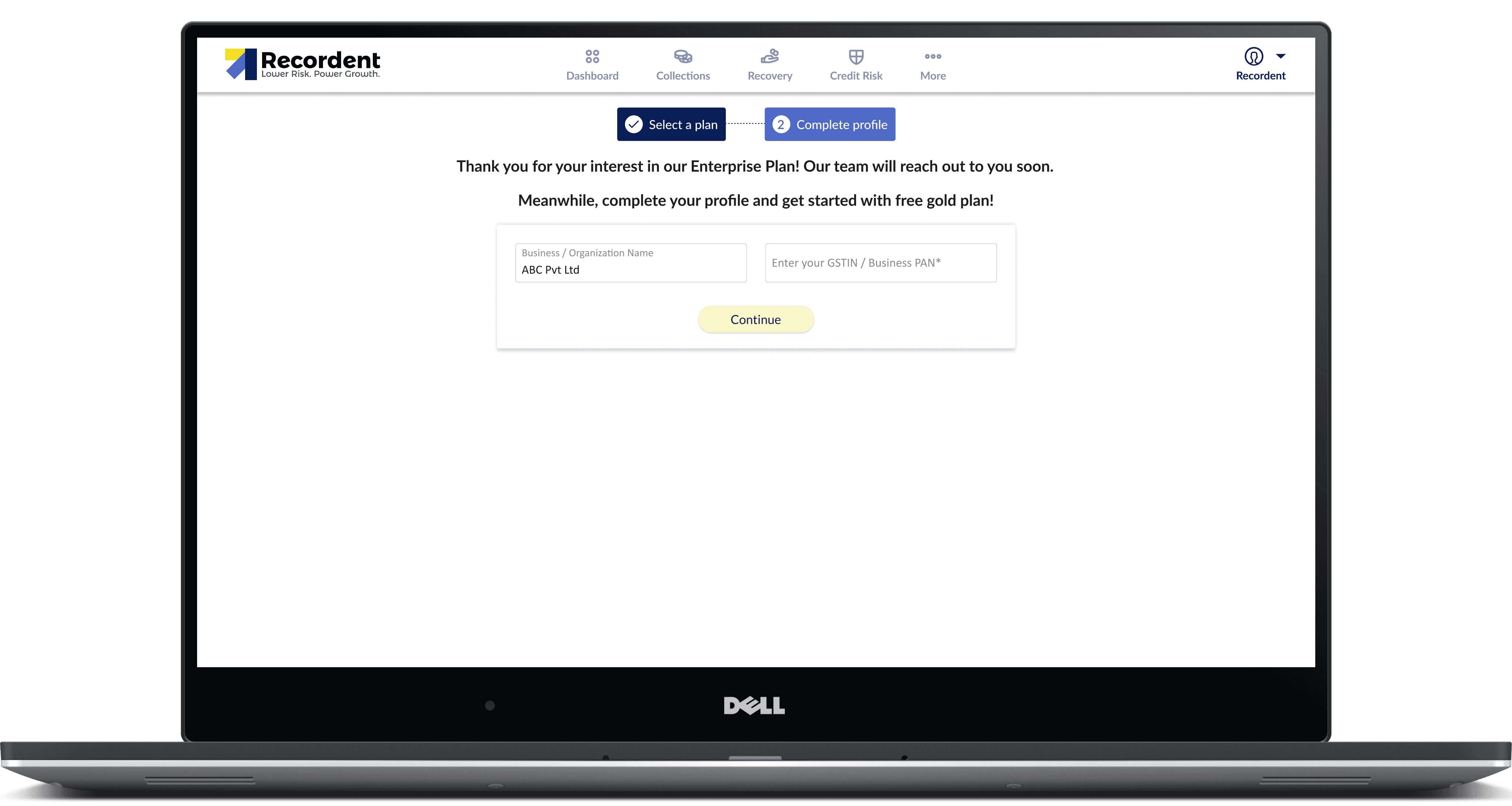
Enterprise plan screen

014

Prospect has verified the GSTIN/ PAN

Say Hello

Looking for a design partner? Drop me a message and let’s talk.

Say Hello

Looking for a design partner? Drop me a message and let’s talk.

Say Hello

Looking for a design partner? Drop me a message and let’s talk.

Say Hello

Looking for a design partner? Drop me a message and let’s talk.

Create a free website with Framer, the website builder loved by startups, designers and agencies.